

lfArrowSvg
Blogs
blog-img
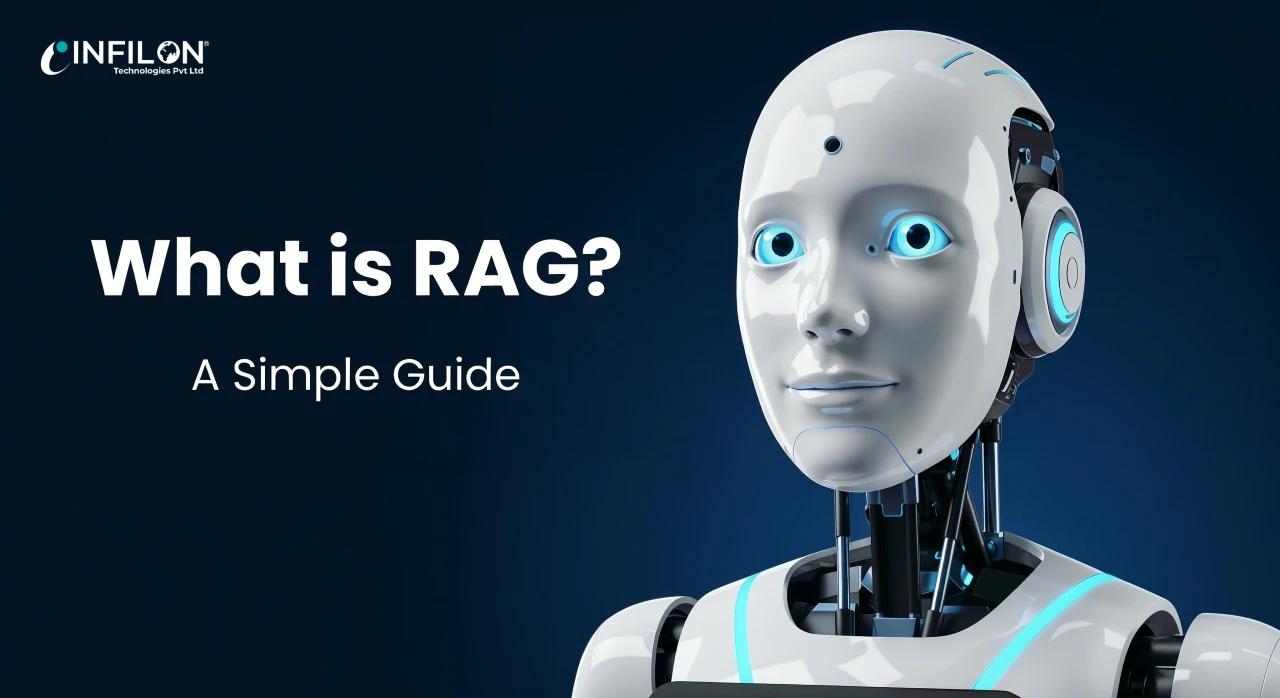
What is RAG? A Simple Guide
Category
Recent News
blog-image
2026-01-22 17:30dot separator7 min read
cross arrow

Cross-Platform Mobile Development: React Native vs Flutter

The demand for mobile applications continues to grow as businesses aim to reach users across multiple platforms quickly and efficiently. Instead of building separate apps for iOS and Android, many organizations now prefer cross-platform mobile development, which allows them to create a single app that runs seamlessly on both platforms. Among the available frameworks, React Native and Flutter stand out as the most popular choices. But how do they differ, and which one is right for your business? In this blog, we’ll explore React Native vs Flutter in detail, comparing performance, development speed, UI capabilities, and scalability to help you make an informed decision. What Is Cross-Platform Mobile Development? Cross-platform mobile development refers to the process of building mobile applications that can run on multiple operating systems using a single codebase. This approach significantly reduces development time, cost, and maintenance efforts while ensuring a consistent user experience across devices. Businesses often turn to a professional mobile app development company to implement cross-platform solutions that balance performance, scalability, and speed to market. Understanding React Native What Is React Native? React Native is an open-source framework developed by Meta (Facebook) that enables developers to build mobile apps using JavaScript and React. It allows developers to reuse most of the code across platforms while still delivering a near-native experience. Key Features of React Native Uses JavaScript and React Reusable components for faster development Strong community support Access to native APIs through bridges React Native is widely used by startups and enterprises alike due to its flexibility and rapid development capabilities. Understanding Flutter What Is Flutter? Flutter is an open-source UI toolkit developed by Google that uses the Dart programming language. It allows developers to build visually rich and high-performance mobile applications with a single codebase. Key Features of Flutter Uses Dart language Built-in widgets for consistent UI High performance with compiled native code Strong support for custom animations and UI design Flutter is gaining popularity for its smooth UI rendering and ability to deliver pixel-perfect designs across platforms. React Native vs Flutter: Key Differences Performance Flutter often has an edge in performance because it compiles directly to native ARM code and doesn’t rely on a JavaScript bridge. React Native, while efficient, may experience performance bottlenecks in complex applications due to bridge communication. User Interface and Design Flutter provides a rich set of customizable widgets, allowing developers to create highly polished and visually consistent interfaces. React Native relies on native components, which can lead to slight UI differences between platforms. Development Speed React Native benefits from JavaScript’s widespread adoption and reusable libraries, making onboarding faster for many developers. Flutter’s hot reload feature also enhances productivity, but Dart may have a steeper learning curve for teams new to the language. Community and Ecosystem React Native has a larger and more mature community, offering extensive third-party libraries and plugins. Flutter’s ecosystem is growing rapidly, with strong backing from Google and frequent updates. Use Cases for React Native React Native is ideal for: Apps requiring faster development cycles Projects with existing JavaScript expertise Applications with frequent updates MVPs and startups aiming for quick market entry Many businesses collaborate with a trusted mobile app development company to leverage React Native for cost-effective and scalable solutions. Use Cases for Flutter Flutter works best for: Apps with complex UI and animations High-performance applications Projects requiring consistent UI across platforms Long-term scalable mobile products Flutter is particularly attractive for brands focusing on premium user experience and modern app design. Cost and Maintenance Considerations Both frameworks reduce development costs by enabling a single codebase. Maintenance is also simpler compared to native apps, as updates can be rolled out across platforms simultaneously. Choosing the right framework as part of professional app development services ensures long-term maintainability, security, and scalability. Security and Scalability Security is a critical factor in mobile development. Both React Native and Flutter support secure coding practices, encryption, and authentication mechanisms. However, implementing enterprise-grade security requires expertise and proper architecture planning. Partnering with a reliable software development company in USA ensures compliance with security standards and delivers scalable mobile solutions tailored to business needs. Which Framework Should You Choose? The choice between React Native and Flutter depends on several factors: Project requirements Team expertise Performance expectations UI complexity Time-to-market goals React Native is often preferred for rapid development and JavaScript-based teams, while Flutter excels in performance and UI consistency. A detailed assessment by an experienced development partner can help determine the best fit. The Role of Cross-Platform Development in Business Growth Adopting Cross-Platform Mobile Development enables businesses to launch apps faster, reduce costs, and reach a wider audience. It allows companies to stay competitive in an increasingly mobile-first digital landscape while ensuring consistent experiences across devices. Organizations that invest in expert app development services can leverage cross-platform frameworks to innovate faster and scale efficiently. Conclusion Both React Native and Flutter are powerful frameworks that enable businesses to build high-quality mobile applications efficiently. React Native offers flexibility, a vast ecosystem, and faster onboarding, while Flutter delivers superior performance and visually stunning interfaces. The right choice depends on your business goals, technical requirements, and long-term vision. By working with an experienced mobile app development company, businesses can harness the full potential of cross-platform development and deliver future-ready mobile applications. Whether you’re launching a startup app or scaling an enterprise solution, cross-platform mobile development with React Native or Flutter can be a game-changer for your digital strategy.

blog-image
2026-01-09 17:30dot separator7 min read
cross arrow

Web App vs Mobile App: What’s the Difference?

In today’s digital-first world, businesses often face a crucial decision when building software solutions: should you develop a web app or a mobile app? While both serve similar purposes—delivering functionality to users—their development approach, performance, cost, and user experience differ significantly. Understanding the difference between web apps and mobile apps is essential for choosing the right technology that aligns with your business goals, target audience, and long-term growth strategy. In this blog, we’ll break down the key differences and help you decide which option is best for your business. What Is a Web App? A web application is a software application that runs in a web browser. Users can access it through the internet without installing anything on their device. Popular examples include email platforms, online banking portals, and project management tools. Web apps are built using standard web technologies such as HTML, CSS, and JavaScript, and they work across multiple devices and operating systems. Key Characteristics of Web Apps Accessible via web browsers No installation required Platform-independent Easy to update and maintain SEO-friendly for discoverability Many businesses choose to work with a web development company to create scalable web applications that reach users across desktops, tablets, and mobile devices with a single codebase. What Is a Mobile App? A mobile application is a software application specifically designed to run on mobile devices such as smartphones and tablets. These apps are downloaded and installed from app stores like Google Play or the Apple App Store. Mobile apps are developed using platform-specific languages and frameworks such as Swift (iOS) and Kotlin (Android), or cross-platform tools like Flutter and React Native. Key Characteristics of Mobile Apps Installed directly on devices Optimized for mobile performance Access to device features (camera, GPS, sensors) Better offline capabilities Higher engagement through push notifications Businesses seeking immersive user experiences often partner with a mobile app development company to build high-performance applications tailored to specific platforms. Web App vs Mobile App: Key Differences 1. Platform Compatibility Web apps work across all platforms with a browser, making them highly accessible. Mobile apps are platform-specific and require separate development for iOS and Android unless cross-platform frameworks are used. 2. Performance Mobile apps generally offer better performance because they are built specifically for a device’s operating system. Web apps rely on browsers, which may limit speed and responsiveness. 3. User Experience Mobile apps provide a smoother and more interactive experience, especially for tasks requiring frequent use. Web apps focus on simplicity and accessibility, making them ideal for broader audiences. 4. Development Cost and Time Web apps are usually faster and more cost-effective to develop because a single application works across all platforms. Mobile apps require more time and resources due to platform-specific development. 5. Updates and Maintenance Web apps update instantly for all users. Mobile apps require users to download updates from app stores, which can delay feature rollouts. When to Choose a Web App Web apps are ideal when: You want to reach a wide audience quickly SEO and online visibility are important You need faster development and lower costs Your app is content-driven or transactional A reliable web development company can help you build responsive, secure, and scalable web applications that perform seamlessly across devices. When to Choose a Mobile App Mobile apps are the right choice when: Your users will interact with the app frequently You need access to device hardware features Offline functionality is critical Push notifications are essential for engagement An experienced mobile app development company ensures that your app delivers high performance, intuitive UI, and platform-specific optimization. Progressive Web Apps: A Hybrid Approach Progressive Web Apps (PWAs) combine the best of both worlds. They are web apps that behave like mobile apps, offering offline access, push notifications, and app-like performance. PWAs are gaining popularity as businesses look for cost-effective alternatives without compromising user experience. However, they may still have limitations compared to fully native mobile apps. Security Considerations Security is critical for both web and mobile apps: Web apps rely heavily on browser security and HTTPS encryption Mobile apps benefit from OS-level security features Partnering with a trusted software development company in USA ensures your application meets security standards, compliance requirements, and data protection regulations. Web App vs Mobile App: Which Is Right for Your Business? Choosing between a web app and a mobile app depends on several factors: Target audience behavior Budget and timeline Required features and integrations Long-term scalability goals Businesses offering app development services often help clients analyze these factors before recommending the best solution. In many cases, a phased approach—starting with a web app and later expanding to a mobile app—can deliver maximum ROI. Final Thoughts Both web apps and mobile apps have their own strengths and use cases. Web apps offer accessibility, speed, and cost efficiency, while mobile apps deliver superior performance and user engagement. The right choice isn’t about which option is better—it’s about which one aligns with your business objectives. Whether you’re launching a startup product or scaling an enterprise solution, working with the right development partner ensures success at every stage.

Introduction

Artificial Intelligence (AI) is evolving rapidly, and businesses need systems that serve up sharp, current answers instead of leaning on old training data alone. That’s where Retrieval-Augmented Generation (RAG) steps in.

Through this practical guide, we’ll explain what RAG is, how it works, and why it matters for enterprises building smarter AI applications, and how choosing a reliable RAG as a service provider can accelerate deployment and scalability.

What Is Retrieval-Augmented Generation (RAG)?

RAG is an AI architecture that combines a retrieval system which searches external knowledge sources with a large language model (LLM) that generates human-like text.

  • Retrieval: Finds the most relevant documents, facts or data from a vector database or knowledge base.
  • Generation: Uses an LLM such as GPT-5, Claude or Llama 4 to create a natural-language response enriched with the retrieved information.

This hybrid approach ensures that answers are both context-aware and factually grounded, reducing hallucinations common in standard generative AI.

Why RAG Matters in AI Development

RAG enhances AI development services with live, accurate, tailored insight while significantly lowering the cost of fine-tuning, in a domain-specific manner across industries such as healthcare, finance, legal and e-commerce which makes AI solutions smarter and scalable.

  1. Current Information: Unlike models trained once and frozen, a RAG pipeline can pull live data from websites, internal documents, or real-time APIs.
  2. Cost-Effective: Instead of expensive fine-tuning, you can update the knowledge base directly.
  3. Domain-Specific Accuracy: Perfect for industries like healthcare, finance, legal, and e-commerce where precision is critical.
How the RAG Pipeline Works

The typical RAG architecture follows four steps:

  1. Document Ingestion: Data from PDFs, websites or databases is transformed into embeddings and stored in a vector database like Pinecone or Weaviate.
  2. Query Understanding: The user’s question is converted into a vector representation.
  3. Retrieval: Similar vectors are fetched using semantic search, ensuring the most relevant content is delivered.
  4. Generation: The LLM receives both the user query and the retrieved context, then crafts a coherent, human-like answer.

This seamless loop allows AI systems to provide real-time, evidence-backed responses.

RAG vs. Fine-Tuning

A common question is whether to fine-tune an LLM or implement RAG.

  • Fine-Tuning permanently trains the model on a specific dataset.
  • RAG keeps the base model intact and simply updates the external knowledge source.
  • For organizations needing frequent updates or dealing with massive proprietary data, RAG is more scalable and flexible.
Key Use Cases
  • Intelligent Chatbots: Customer support agents that pull the latest product documentation.
  • Enterprise Knowledge Search: Unified access to scattered internal files.
  • Healthcare & Legal Research: Retrieve validated medical or legal references instantly.
  • E-commerce: Personalized shopping assistants recommending products using real-time inventory.
Popular Tools and Frameworks

Developers can build RAG systems using:

  • LangChain or LlamaIndex for orchestration.
  • Vector databases such as Pinecone, Milvus, Weaviate or FAISS.
  • LLMs like GPT-5, Claude, Gemini or open-source Llama 4.

These tools make it easier to create production-ready AI chatbots, search engines and analytics platforms.

Best Practices for Implementing RAG
  • Clean & Normalize Data: High-quality document embeddings lead to more accurate retrieval.
  • Optimize the Vector Database: Choose the right similarity metric (cosine, dot-product) and index type.
  • Evaluate Regularly: Track precision, recall, and user feedback to refine your retrieval strategy.
  • Secure the Knowledge Base: Encrypt sensitive data and manage access controls.
Future of RAG

The future of Retrieval-Augmented Generation is directly tied to how fast generative AI is growing across industries. Organizations everywhere are looking for AI they can actually trust to deliver real-time insights and accurate results. This growing need is pushing RAG from being just another advanced tool to becoming a core part of how enterprises build their AI systems. This unique blend means businesses get responses that stay accurate and relevant while adapting to new information as it becomes available.

Next-generation systems will be able to extract and process not just text, but images, audio, video and even sensor data, facilitating richer and increasing immersive applications in myriad industries. From interactive virtual assistants and intelligent manufacturing, to improved healthcare diagnostics and multi-media research platforms, RAG will spawn a new era of data-informed generative AI that is both creative and grounded in real-world information.

Conclusion

Retrieval-Augmented Generation connects traditional, static AI language models to the dynamic world of real-time data. With a retrieval layer on top of a powerful LLM, RAG allows organizations to create reliable, affordable and consistently updated AI experiences.

So whether you are making a customer support chatbot, an internal knowledge portal or an intelligent search engine, RAG has a well-defined pathway toward a more intelligent, reliable AI and its been proven.


whatsAppImg